

Navigating Microsoft Teams Time Tracking: A Guide for Frontline Workers
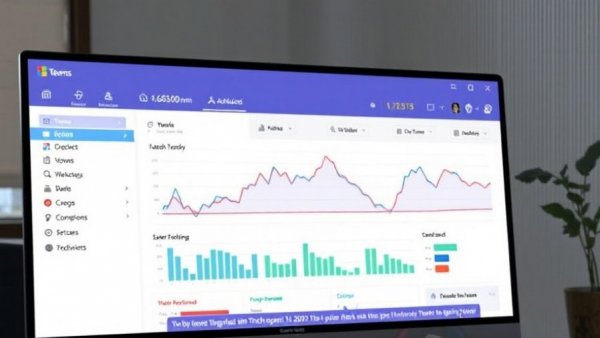
Microsoft Teams has become a staple for remote and frontline teams, consolidating communications, meetings, and project management into one platform. A crucial part of this functionality is the time tracking feature available through the Shifts app, which allows employees to clock in and out of shifts seamlessly. Here, we explore how this system works and where it might fall short for teams that require more robust time management.
How Microsoft Teams Time Tracking Operates
Using the Shifts app, employees can easily clock in, take breaks, and clock out, whether they are on mobile, desktop, or using the web. To start utilizing the time tracking feature, a manager must enable the time clock in the Shifts settings. From that point on, recording hours becomes intuitive. Workers select their team and simply press the 'Start' button to begin tracking their time. What’s more, location detection can also be enabled on mobile devices, providing a layer of accountability that can show if workers are on-site when they clock in.
Working with Export Functionality
Once shifts are completed, employees can view their timesheets, edit clock-in and out times, and even append notes, offering a degree of flexibility. However, managers looking for organized time data can export these timesheets to Excel, which reportedly includes both original and modified entries. This serves as a helpful functionality, bridging the transition from time tracking to payroll processing.
Identifying the Gaps in Microsoft Teams Time Tracking
Despite its apparent benefits, the Shifts time tracking feature does have limitations. The most significant drawback is that it lacks integration with specific projects or tasks. While Teams has applications for task management, such as Planner or Lists, these tools do not correlate with hours tracked in Shifts. As a result, teams often find it challenging to break down how time is allocated across projects, making it hard to justify hours spent on tasks—a critical factor for invoicing clients or validating payroll.
The Need for Dedicated Time Tracking Tools
Given the gaps identified in Teams' built-in capabilities, many businesses are turning to dedicated time tracking solutions such as Time Doctor. These tools offer advanced features like project tracking, resource allocation, and in-depth reporting that complement the existing setup within Microsoft Teams. By adopting these extensions, organizations can maintain robust records that stand up to scrutiny during payroll or performance reviews.
Conclusion: Weighing Your Options
For teams operating on tight schedules and specific project needs, recognizing the limitations of Microsoft Teams time tracking is essential. While it presents a straightforward solution for simple attendance requirements, integrating a more comprehensive tool could prove invaluable. Combining Microsoft Teams with specialized time tracking applications ensures accurate tracking and accountability, ultimately enhancing your team’s productivity.




Write A Comment